
Your Xelion provider may request that you gather some logs from within the Xelion Windows App.
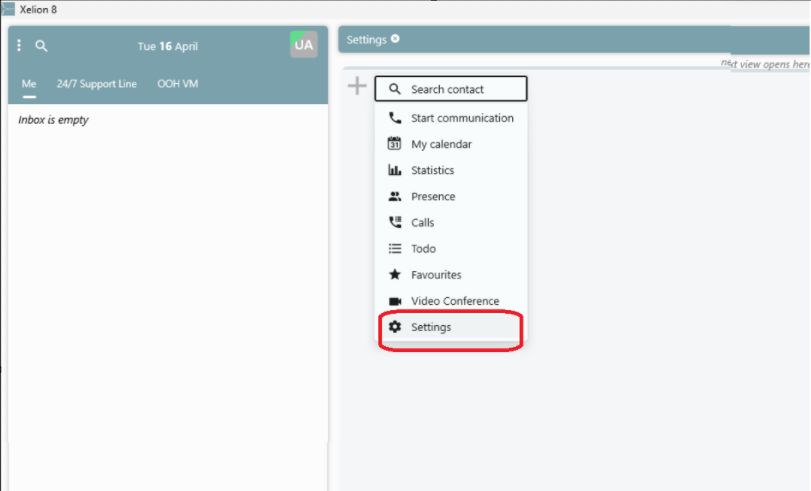
To make a log file, go to ‘Settings’.
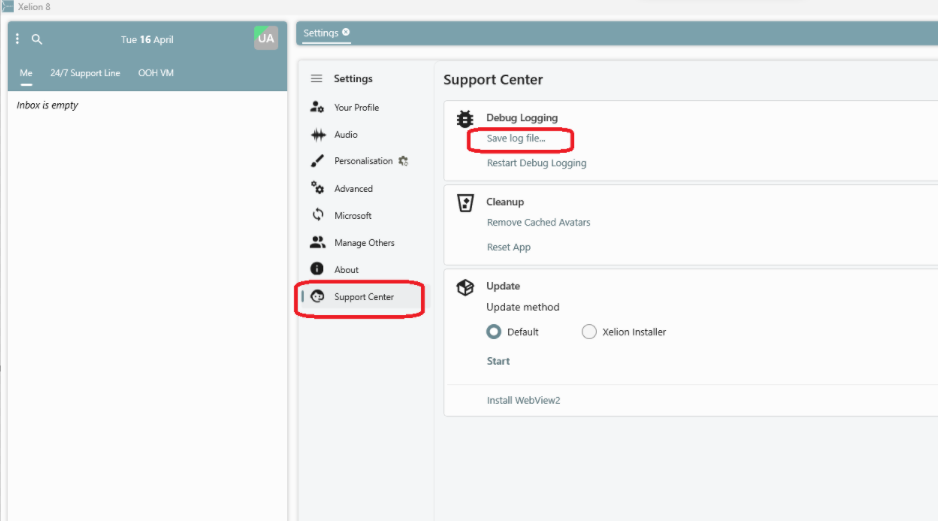
Go to ‘Support Center’.
Press ‘Save Log file’.
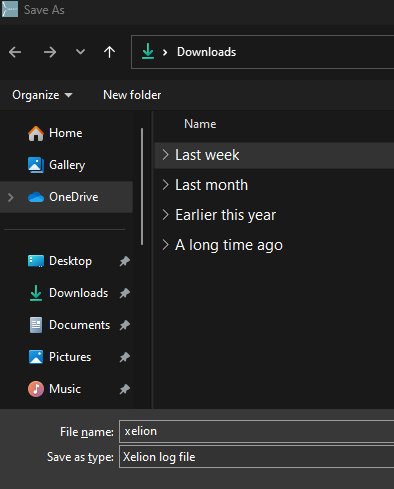
The Windows File Explorer opens.
Select the location to save the log file.
You can now share the log file with you Xelion provider.